


Ever pressed the home key during a late-night work session and wondered why your cursor flew to the start of the line? Or perhaps you’ve used a smart home key to unlock your front door with just a tap on your phone? The term “home key” might seem simple, but it encompasses a wide range of uses, from keyboard navigation to cutting-edge smart home security.
In this guide, we’ll explore the home key in all its forms—its evolution, functions, and applications in both personal and business contexts. Whether you’re a tech enthusiast, a property manager, or a business owner, understanding the versatility of the home key can enhance productivity and security.
Home Key Basics
The home key is a fundamental tool in computing, designed to move the cursor or selection to the start of a line, document, or webpage. It’s a small but mighty feature that has been a staple of keyboards for decades. In modern Windows text editing applications, it primarily returns the cursor to the beginning of the line where the cursor is located. When text is not editable, it can return to the beginning of the document or page.
Historical Context
The home key’s origins trace back to the 1960s, when typewriters began incorporating navigation keys to improve efficiency. By 1981, IBM standardized the home key on PC keyboards, making it a universal feature for navigating text and documents.
Modern Relevance
Despite the rise of touchpads and mice, the home key remains indispensable. It’s widely used in coding, spreadsheet navigation, and text editing. For remote teams and businesses, it’s a productivity booster, enabling faster workflows in tasks like data entry and report writing.
Keyboard Home Key Explained
Functionality Across Devices
On desktop keyboards, pressing the home key moves the cursor to the start of a line. When combined with modifiers like Ctrl (Windows) or Command (Mac), it can jump to the top of a document or webpage. On laptops, the home key is often integrated into the function keys or accessed via combinations like Fn + Left Arrow. Smaller keyboards may lack a dedicated home key, requiring such key combinations.
Troubleshooting Common Issues
If your home key isn’t working, the issue could stem from outdated drivers, sticky keys, or incorrect settings. Cleaning the keyboard, updating drivers, or remapping the key using software like SharpKeys or AutoHotkey can resolve many problems.
Types of Home Keys
The home key isn’t limited to traditional keyboards. Here’s a breakdown of its variations:
- Standard PC Keyboards: Found on full-size and mechanical keyboards, ideal for office use.
- Wireless and Ergonomic Keyboards: Popular among businesses for their flexibility and comfort.
- Virtual Keyboards: On-screen keyboards on Windows and mobile devices offer a digital version of the home key.
- Customizable RGB Keyboards: Gamers and professionals can assign unique functions to the home key, enhancing usability.
Home Key in Real Estate & Security
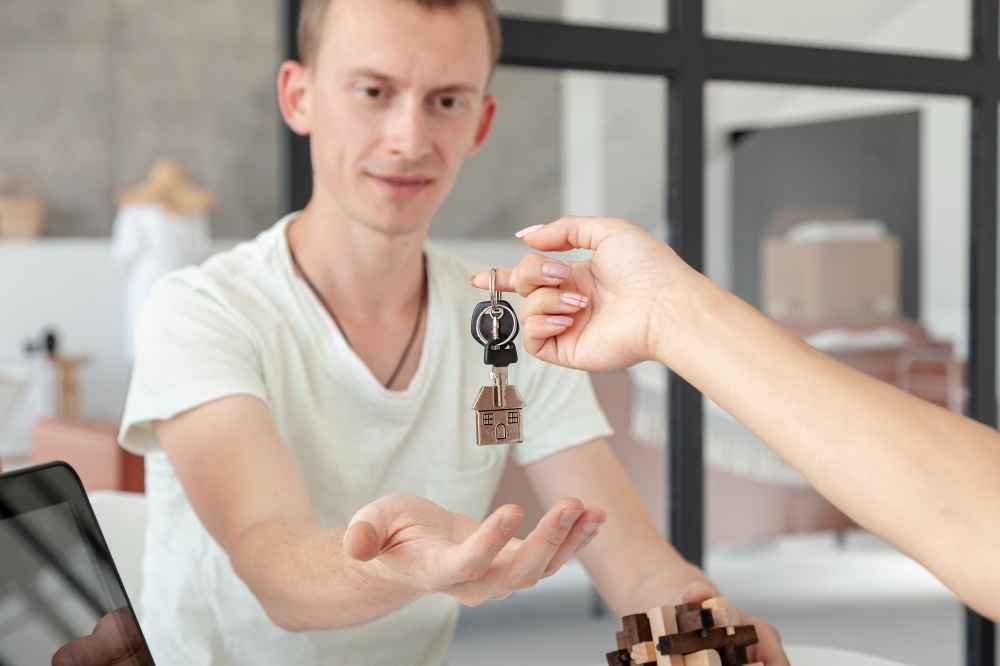
The term “home key” also applies to physical and digital keys used for property access. Traditional metal keys are being replaced by smart home keys, which offer enhanced security and convenience.
Smart Home Keys
Smart home keys use technologies like NFC, Bluetooth, or Wi-Fi to enable keyless entry. Compatible devices such as Apple Home or Matter door locks allow unlocking doors via iPhone or Apple Watch. Brands like Kwikset and Schlage Encode are popular among property managers and Airbnb hosts, reducing the need for physical key replacements and improving security.
| Type | Security Level | Cost | Business Fit |
|---|---|---|---|
| Metal Home Key | Low | $5-20 | Rentals |
| Smart Digital Key | High | $100+ | Offices, Airbnbs |
| Biometric Key | Highest | $200+ | Enterprises |
Reassigning & Customizing the Home Key
For advanced users, the home key can be reassigned to perform different functions. This is particularly useful for coders or businesses with specific workflow needs.
Step-by-Step Guide to Remapping
- Install software like SharpKeys or AutoHotkey.
- Select the home key from the list of keys.
- Assign a new function, such as Escape or a custom macro.
- Save changes and test the new configuration.
Home Key Troubleshooting
Common Issues
- Keyboard Home Key: If the key isn’t responding, check for dirt or debris, update your BIOS, or adjust accessibility settings.
- Smart Home Key: Issues like battery failure or app synchronization errors can often be resolved by resetting the device or contacting customer support.
Preventative Measures
Regular maintenance, such as cleaning your keyboard or updating smart lock firmware, can prevent most issues. For digital keys, always keep a backup access method, such as a physical key or secondary app login.
Business Applications
The home key has significant applications in business, from improving workflow efficiency to enhancing security.
Productivity Boost
Keyboard shortcuts involving the home key are invaluable in CRM tools like Salesforce or ERP systems. They save time and reduce errors, especially in data-heavy tasks.
Security ROI
Smart home keys can reduce the cost of lost keys by up to 80% for property management firms. For example, an office that transitions to keyless entry can save thousands annually on locksmith services and key replacements.
FAQs
What Does the Home Key Do?
The home key moves the cursor to the start of a line or document. On smart devices, it can also refer to a keyless entry system for homes.
Why Is My Home Key Not Working?
Common causes include hardware issues, outdated drivers, or incorrect settings. For smart keys, check the battery or app connectivity.
Can I Replace a Laptop Home Key?
Yes, replacement keys are available online. Alternatively, remapping the function to another key is a quick fix.
Best Smart Home Key for Businesses?
Brands like August and Schlage Encode offer robust security features and app integration, making them ideal for offices and rental properties.
How to Remap the Home Key on Mac?
Use the built-in keyboard settings or third-party tools like Karabiner-Elements to customize the home key’s function.
Conclusion
From its humble beginnings as a navigation tool on typewriters to its modern role in smart home security, the home key has evolved to meet the needs of both individuals and businesses. Whether you’re optimizing workflows or securing properties, understanding the home key’s potential can unlock new levels of efficiency and safety.
Ready to upgrade your setup? Contact us for smart home key installations or IT audits tailored to your business needs.
Final Tip: Test your home key functions weekly to ensure peak productivity and security.